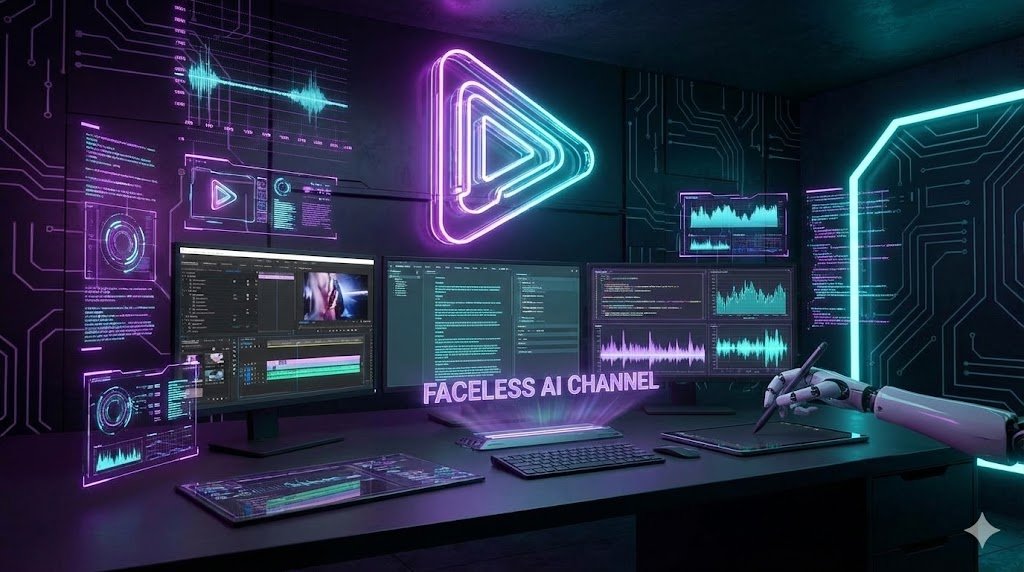
Did you know that some of the highest-earning channels on YouTube never show a human face? From meditation guides to tech documentaries, the “Faceless” niche (also known as Cash Cow Channels) is exploding.
In the past, running these channels required hiring expensive voice actors, scriptwriters, and video editors. But in 2026, Artificial Intelligence has leveled the playing field.
If you are an introvert or simply value your privacy, this guide is for you. We will break down exactly how to start a faceless YouTube channel using a powerful stack of AI tools to automate 90% of the work.
What is a Faceless YouTube Channel?
A faceless channel is exactly what it sounds like: content where the creator does not appear on camera. Instead, the videos rely on:
- Stock footage or animation.
- Voiceovers (human or AI).
- Kinetic typography (text on screen).
Why start one in 2026?
- Privacy: You become a brand, not a public figure.
- Scalability: You can run 5 different channels in different niches simultaneously.
- Global Reach: It is easy to translate content into other languages.
Step 1: Choose a Profitable Niche
Before you touch any AI tool, you need a topic. The biggest mistake beginners make is being “too general.” You need a specific angle.
Top Faceless Niches for 2026:
- Tech & AI News: (e.g., “New gadgets released this week”).
- True Crime / Mystery: Storytelling with dark imagery.
- Meditation & Relaxing Sounds: High retention, easy to produce.
- Luxury & Finance: “Top 10 most expensive yachts.”
- Psychology & Facts: Explainer videos (like the channel Kurzgesagt).
Pro Tip: Use Google Trends to see what topics are rising before you commit.
Step 2: Generate the Script (The Brain)
A great video starts with a great script. If you are not a professional writer, this is where AI saves you hours.
Instead of staring at a blank page, you can use AI Writing Tools to generate engaging scripts in minutes. You need a tool that understands “Hooks” (the first 5 seconds of the video) to keep retention high.
Recommended Tool: We recommend using Jasper AI for long-form scripts. It has specific templates for “Video Script Outline” and “Video Script Hook and Introduction.”
- Alternative: If you are on a budget, Copy.ai is a solid free alternative for shorter scripts.
Action: Ask the AI: “Write a 1,500-word witty script about the history of Bitcoin for a YouTube video. Include a shocking fact in the intro.”
Step 3: Generate the Voiceover (The Voice)
Bad audio kills a YouTube channel faster than bad video. In the past, robotic text-to-speech voices were demonetized by YouTube.
However, in 2026, Neural AI Voices are indistinguishable from humans. They breathe, pause, and change intonation.
Recommended Tool: For the most realistic results, we use Murf AI. It allows you to choose from over 120 voices. You can simply copy-paste your script from Jasper into Murf, and it will render a professional studio-quality voiceover file (MP3).
Why not use free tools? Free TTS tools often sound robotic, which hurts viewer retention. YouTube’s algorithm favors high retention.
Step 4: Create the Video Visuals (The Body)
This used to be the hardest part. You had to search for stock footage on sites like Shutterstock, download clips, and edit them manually in Premiere Pro.
Now, AI Video Generators can do this automatically.
Recommended Tool: The industry standard for this workflow is Pictory.
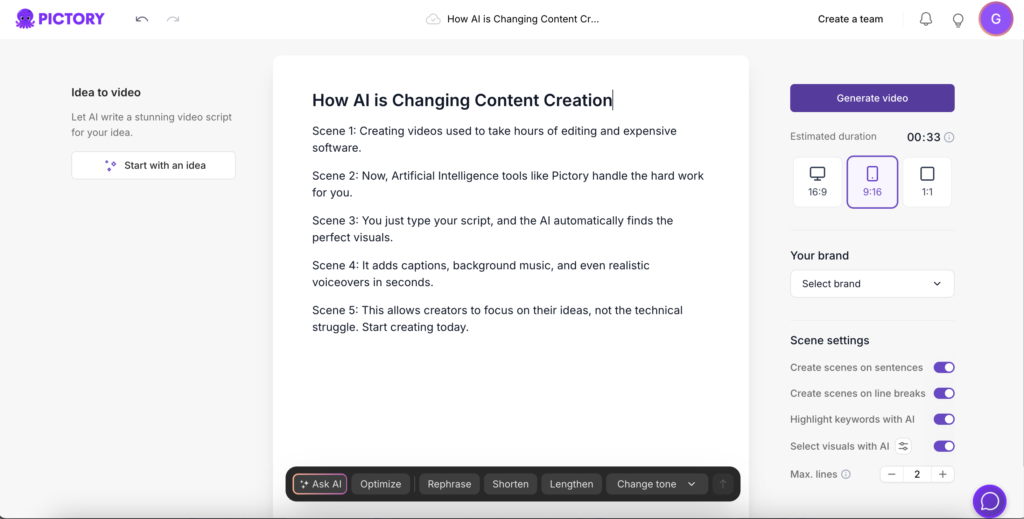
- How it works: You upload the script (or the audio from Murf).
- The Magic: The AI reads your text and automatically finds stock footage that matches every sentence. If your script says “The stock market crashed,” Pictory automatically inserts a clip of a falling graph or stressed traders.
It also adds Auto-Captions (subtitles), which are essential since many people watch videos on mute.
Step 5: The Thumbnail (The Click)
You can have the best video in the world, but if nobody clicks, it doesn’t matter. Your thumbnail needs to be high-contrast and intriguing.
You don’t need Photoshop. You can use AI art generators like Midjourney to create unique, copyright-free images for your background, and then add text using Canva.
Frequently Asked Questions (FAQ)
Can Faceless Channels get monetized? Yes. YouTube monetizes faceless channels as long as the content is original. Using AI voices is allowed, provided the content adds value and isn’t just “spam” or auto-generated reading of Wikipedia pages.
How much does it cost to start? You can start for free using trials. However, a professional stack (Jasper + Murf + Pictory) will cost around $50-$100/month. Considering a single successful video can pay that back in ad revenue, it is a low startup cost.
How often should I post? Consistency is key. With this AI workflow, you should aim for 2 to 3 high-quality videos per week.
Final Thoughts
Starting a faceless YouTube channel is one of the smartest digital business models in 2026. It removes the barrier of “being on camera” and leverages AI to speed up production by 10x.
The tools are ready. The audience is watching. The only missing piece is you.
- Ready to write your first script? Check our Jasper AI Review.
- Need a voice? Listen to samples in our Murf AI Review.
- Ready to edit? See how Pictory works.